

If you run a transportation or service business and you've been told you can't rank locally without a storefront, that's wrong. What is service area SEO? It's the practice of optimizing your online presence to show up in local searches across every city or region you serve, even when customers never come to your location. Many service business owners misunderstand how Google treats businesses like theirs, which leads to missed bookings and invisible listings. This guide breaks down exactly how service area SEO works, how to set it up correctly, and how to turn it into a steady source of leads.
Table of Contents
- What is service area SEO and why it matters for your business
- How service area pages boost your local SEO and attract customers
- Key Google Business Profile settings for service area businesses
- Crafting unique service area content that converts and ranks
- Measuring and optimizing your service area SEO performance
- The overlooked truth about service area SEO for transportation and service businesses
- How CBM Agency can help boost your service area SEO
- Frequently asked questions
Key Takeaways
| Point | Details |
|---|---|
| Service area SEO definition | It optimizes your online presence to appear in local searches for areas you serve without a physical storefront. |
| Service area pages role | These location-specific pages help rank your services for targeted cities or ZIP codes to attract local customers. |
| Google Business Profile setup | Remove your business address if you don’t serve customers there and specify accurate service areas to comply with guidelines. |
| Content uniqueness | Create unique, helpful content for each service area page to avoid duplicate content penalties and better engage visitors. |
| Performance tracking | Use analytics and search console tools to monitor local rankings and refine your service area SEO strategy effectively. |
What is service area SEO and why it matters for your business
Service area SEO is the process of making your business visible in local search results for the specific cities, neighborhoods, or zip codes you serve, without needing a physical storefront in each one. For transportation companies, limo services, HVAC providers, or any business that travels to customers, this is your primary path to local search visibility.
Google treats these businesses as Service Area Businesses (SABs). Rather than showing a fixed address on your Google Business Profile, service area businesses must hide their physical address and can specify up to 20 service areas by city, ZIP code, or region. That setup tells Google where you operate without misleading customers about where you're physically located.
Here's why this matters for your bottom line:
- A chauffeur company based in Miami can rank for searches like "airport car service Fort Lauderdale" or "limo service Brickell" without having an office in either location.
- Without service area SEO, your listing defaults to showing up only near your registered address, leaving entire markets uncovered.
- Transportation businesses that use service areas correctly consistently appear in more local search results than those relying on a single location pin.
- Proper Google Business Profile setup as an SAB signals to Google that you're relevant across your full coverage area, not just one block.
The core benefit is reach. You stop competing for one neighborhood and start competing for every market you actually serve.
How service area pages boost your local SEO and attract customers
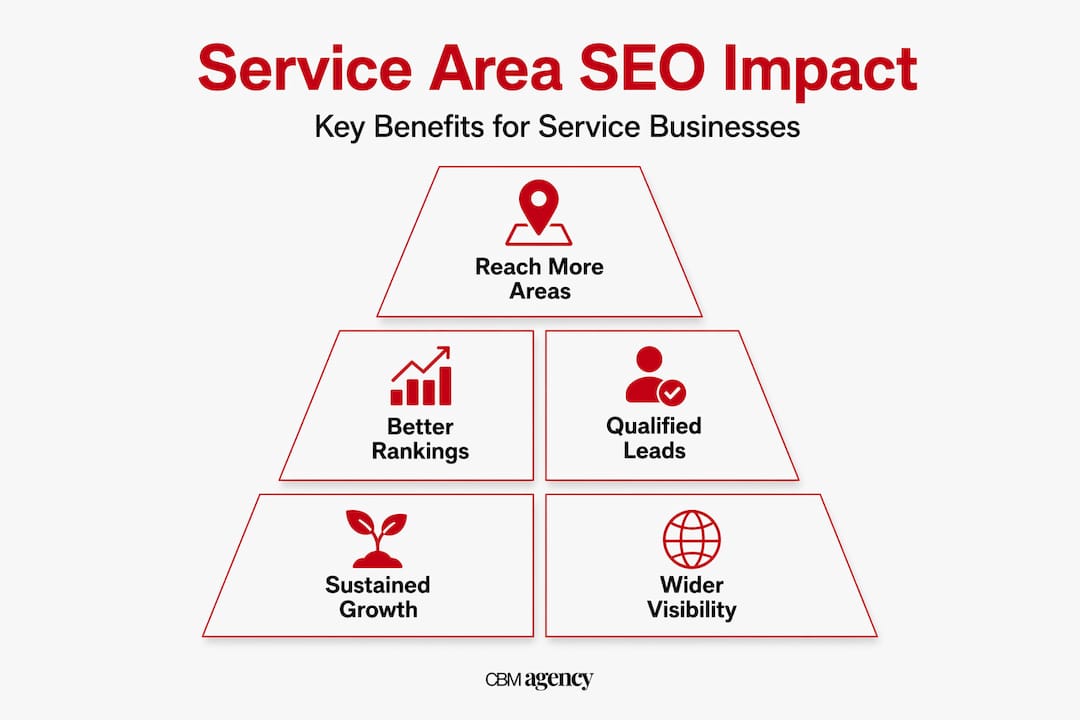
Your Google Business Profile gets you into the local map pack. But service area pages (SAPs) on your website are what drive consistent organic traffic from customers searching in cities you serve. Think of them as mini landing pages, each one built specifically for a location where you do business.

Service area pages are landing pages targeting locations where a business travels to serve customers. When someone in Coral Gables searches "black car service near me," a well-built SAP for Coral Gables gives Google a reason to show your site in those results.
What makes a service area page actually work? Here are the key elements:
- Unique local content: Mention specific neighborhoods, landmarks, or local events relevant to that city.
- Targeted keywords: Include phrases like "[your service] in [city name]" naturally throughout the page.
- Local testimonials: Reviews or quotes from customers in that specific area build trust and relevance.
- Clear calls to action: A phone number, booking button, or contact form specific to that service area.
- Local schema markup: Structured data that tells search engines exactly where you operate.
Service area pages serve as always-on customer service content meeting Google's Helpful Content standards when designed for human visitors, not just search engines.
Here's how SAPs compare to traditional location pages:
| Feature | Service area page | Traditional location page |
|---|---|---|
| Purpose | Rank in cities you serve without a storefront | Represent a physical office or store |
| Content focus | Local relevance and service-specific info | Address, hours, directions |
| SEO goal | Rank for "[service] in [city]" searches | Rank for branded or near-me searches |
| Required address | No | Yes |
| Best for | SABs and transportation businesses | Retail or multi-location businesses |
Pro Tip: Never just copy a page template and swap the city name. Google recognizes thin, duplicate content and will not rank it. Each SAP needs genuinely different information about that location to create effective service area pages that actually convert.
Key Google Business Profile settings for service area businesses
Your Google Business Profile is the front door to your local search presence. Getting the settings right for a service area business is not optional. One wrong configuration can suppress your visibility or even trigger a suspension.
First, understand the two types of businesses Google recognizes:
- Pure SABs: You travel to customers only. No customers visit your location.
- Hybrid businesses: You serve customers both at your location and at their locations.
If you're a transportation company, you're almost always a pure SAB. Here's how to configure your profile correctly:
- Log in to your Google Business Profile and navigate to your business information settings.
- Select "No" when asked if customers visit your location. This removes your physical address from public view.
- Add your service areas by city, ZIP code, or region. You can specify up to 20 service areas to avoid suspensions for overclaiming territory.
- Avoid setting a radius distance as your service area. Google prefers named cities or ZIP codes because they map to real search intent.
- Keep your primary category accurate. A limo company should be "Limousine Service," not "Transportation Service," since specificity helps Google match you to the right searches.
- Verify your profile if you haven't already. Unverified profiles have limited visibility in local results.
Common mistakes to avoid: claiming service areas three states away, listing 20 areas when you realistically serve five, or keeping your address visible when customers never visit you. These errors erode trust with Google and can get your listing flagged.
Pro Tip: Match your GBP service areas exactly to the cities covered by your service area pages. Consistency between your profile and your website is a signal Google uses to confirm your relevance. Review Google Business Profile management tips to stay current with policy changes.
Crafting unique service area content that converts and ranks
Getting traffic to a service area page is only half the job. The content needs to do the work of converting a visitor into a booking. That means going beyond generic service descriptions and writing something a person in that city actually finds useful.
Think about what a customer in Aventura cares about when searching for a car service. They want to know you know the area. They want confidence you've served people like them before. They want to book quickly. Your SAP should answer all three.
Every service area page should include:
- A city-specific headline that includes your service and location naturally.
- Local context: Reference nearby airports, hotels, business districts, or events you regularly service.
- Service-specific descriptions tailored to that market, not a copy-paste from your homepage.
- Customer testimonials from people in or near that city, even if pulled from Google reviews.
- A direct contact method like a click-to-call number or embedded booking form.
- Internal links to related pages like your main services page or other nearby SAPs.
Avoid doorway page penalties by creating helpful, unique service area pages focused on customers, not just search engines. Google's guidelines are clear: pages that exist only to rank, with no real value for the visitor, get filtered out.
Pro Tip: Add LocalBusiness schema markup with "areaServed` properties to each SAP. This structured data helps search engines understand your geographic relevance and can improve how your pages appear in results. Pair this with SEO best practices for service area pages to stay ahead of algorithm updates.
Track each page's performance in Google Search Console. Look at which queries bring traffic, which pages have high bounce rates, and where visitors drop off before booking. That data tells you exactly what to fix.
Measuring and optimizing your service area SEO performance
Building SAPs is not a one-time task. The businesses that win local search over time are the ones that treat their service area pages as living assets, not set-and-forget web pages.
Here's what to track:
- Organic traffic per SAP: Which city pages are pulling in visitors? Which are flat?
- Keyword rankings: Are you moving up for "[service] in [city]" queries?
- Phone calls and form submissions: Use call tracking numbers per page to attribute leads directly.
- Bounce rate: A high bounce rate on a city page often signals a content mismatch.
- Google Business Profile insights: Track calls, direction requests, and website clicks from your GBP listing.
Use GSC, GA4, and rank-tracking tools to monitor service area page performance and identify growth areas.
Here's a quick reference for healthy SAP performance benchmarks:
| KPI | Healthy signal | Warning sign |
|---|---|---|
| Organic traffic | Growing month over month | Flat or declining for 60+ days |
| Keyword ranking | Top 10 for primary city terms | Page 2 or lower for all targets |
| Bounce rate | Under 60% | Above 75% consistently |
| Conversion rate | 3% or higher | Under 1% |
| GBP calls from listing | Increasing weekly | Zero calls in 30 days |
Ongoing optimization checklist:
- Update SAP content seasonally to reflect current events or local demand.
- Add fresh testimonials from customers in each service area every quarter.
- Improve page load speed, especially on mobile, since most local searches happen on phones.
- Audit internal links to make sure each SAP connects logically to your main site.
- Ask customers directly how they found you and use that feedback to refine which areas you target.
Review tracking and optimizing local search performance regularly to adapt as search behavior evolves.
The overlooked truth about service area SEO for transportation and service businesses
Here's something most guides won't tell you: hiding your address on Google Business Profile, which you're required to do as a pure SAB, often reduces your visibility in the local map pack. That's not a bug. It's by design. Google gives map pack prominence to businesses with verified physical locations because proximity is a major ranking factor.
This is exactly why service area pages on your website are not optional. They're your primary organic ranking tool. Many transportation businesses spend all their energy on their GBP and neglect their website's city pages entirely. Then they wonder why their fleet stays parked while competitors with less impressive profiles are getting all the calls.
The businesses that do this well treat each SAP as a genuine resource for a potential customer in that city. Not a keyword-stuffed placeholder. Not a template with a swapped city name. A real page that answers real questions and builds real trust. That approach aligns with Google's Helpful Content guidelines and it compounds over time.
There's also a mindset shift worth making. Service area SEO is not a shortcut. It's a long-term investment in visibility across every market you serve. The businesses that commit to it consistently, updating content, tracking results, and refining their service areas, outperform those chasing quick wins every time.
Explore advanced GBP insights to understand how profile signals interact with your website's SAPs and where the biggest gaps usually appear.
How CBM Agency can help boost your service area SEO
Running a transportation or service business is demanding enough without trying to master local SEO at the same time. Service area setup, page creation, content strategy, and ongoing tracking all take time and expertise that most business owners simply don't have to spare.
CBM Agency works specifically with transportation and service businesses to build the kind of local search presence that turns searches into bookings. From expert Google Business Profile management to building city-specific service area pages that actually rank and convert, we handle the details so you can focus on running your operation. We also offer comprehensive local marketing services tailored to your coverage area and business model. If you want to see what results look like in practice, our Google Maps local SEO case study shows exactly how we've helped businesses like yours grow their visibility across multiple markets.
Frequently asked questions
What exactly is service area SEO?
Service area SEO involves optimizing your online presence to rank for local searches in the specific areas where you provide services, especially when you do not have a physical storefront in those locations. Service area pages target locations where a business travels to serve customers without physical storefronts.
How do I set my service area in Google Business Profile?
You remove your physical address from your profile if you don't serve customers at that location, then specify your service areas by city, ZIP code, or region. Service area businesses must hide their physical address and can set up to 20 service areas to comply with Google's guidelines.
Why should transportation businesses create service area pages on their website?
Service area pages target specific locations you serve, which boosts local organic rankings and attracts customers searching for services in those areas, even without a storefront. SAPs help businesses rank for local intent keywords like "[service] in [city]" across every market they cover.
What content should I include on a service area page?
Include unique local content addressing city-specific needs, detailed service descriptions, customer testimonials from that area, references to local landmarks, and clear contact options tailored to that location. Avoid doorway page penalties by making each page genuinely helpful and distinct from your other city pages.
Can I rank for multiple cities with one office location?
Yes. By creating dedicated service area pages for each city you serve and accurately setting your service areas in Google Business Profile, you can rank locally across multiple regions without a physical storefront. Service area pages enable ranking for local intent keywords even when lacking storefronts, expanding your visibility across your full service region.