

Your business might be great at what it does, but if it is not showing up when someone nearby searches for your service, you are invisible. Understanding what is Google My Business, now officially called Google Business Profile, is the first step to fixing that. Nearly half of all Google searches carry local intent. That means millions of people every day are searching for businesses like yours in their area. This guide breaks down exactly what Google Business Profile is, how it works, and how to use it to turn searches into real customers.
Table of Contents
- Key Takeaways
- What is Google My Business and how it works
- Google My Business benefits for local businesses
- How to set up your Google Business Profile
- Optimizing your profile to improve local ranking
- Common challenges and how to fix them
- My take on Google Business Profile in 2026
- Take your profile from listed to booked
- FAQ
Key Takeaways
| Point | Details |
|---|---|
| Free and powerful tool | Google Business Profile is free and gives you direct control over how your business appears in Search and Maps. |
| Local search is high stakes | Roughly 46% of Google searches have local intent, making an optimized profile non-negotiable for local visibility. |
| Verification is mandatory | You must verify your profile before it appears in search results; postcard remains the most common method for physical locations. |
| Active profiles rank higher | Google favors regularly updated profiles, so posting, uploading photos, and responding to reviews directly improves your ranking. |
| NAP consistency matters | Inconsistent business name, address, and phone data across directories will hurt your local ranking. |
What is Google My Business and how it works
Google My Business is a free tool from Google that lets you manage how your business appears across Google Search and Google Maps. Google rebranded it to Google Business Profile in 2021, but most business owners still search for it under its original name. Either way, they are the same thing.
When someone searches "limo service near me" or "transportation company in Miami," Google pulls up a section of results called the Local Pack. This is the map-based block of three business listings that appears above the organic search results. Your Google Business Profile is what makes you eligible to appear there. Without a verified profile, you will not show up in that prime real estate.
Here is what your profile can display:
- Business name, address, and phone number
- Hours of operation, including holiday hours
- Website link and directions button
- Customer reviews and your responses
- Photos and videos of your business
- A description of your services
- Posts and offers you publish directly from the profile
- Questions and answers from customers
The verification process is straightforward. You go to google.com/business, claim your listing, and verify ownership. Google confirms your business is real and at the stated location. For most physical businesses, that means a postcard with a PIN code sent to your address. Depending on your business category, you may also verify by phone or email.
Pro Tip: Search for your business on Google before you create a new profile. Google may have already generated a basic listing for you that you just need to claim.
Google My Business benefits for local businesses
Think of your Google Business Profile as the front door to your business on the internet. A well-maintained profile does not just tell people you exist. It convinces them to choose you over the competition.

The most immediate Google My Business benefit is visibility. When your profile is complete and verified, Google has the information it needs to show your business in map results and the Local Pack. Businesses without optimized profiles simply do not appear there, no matter how good their website is.
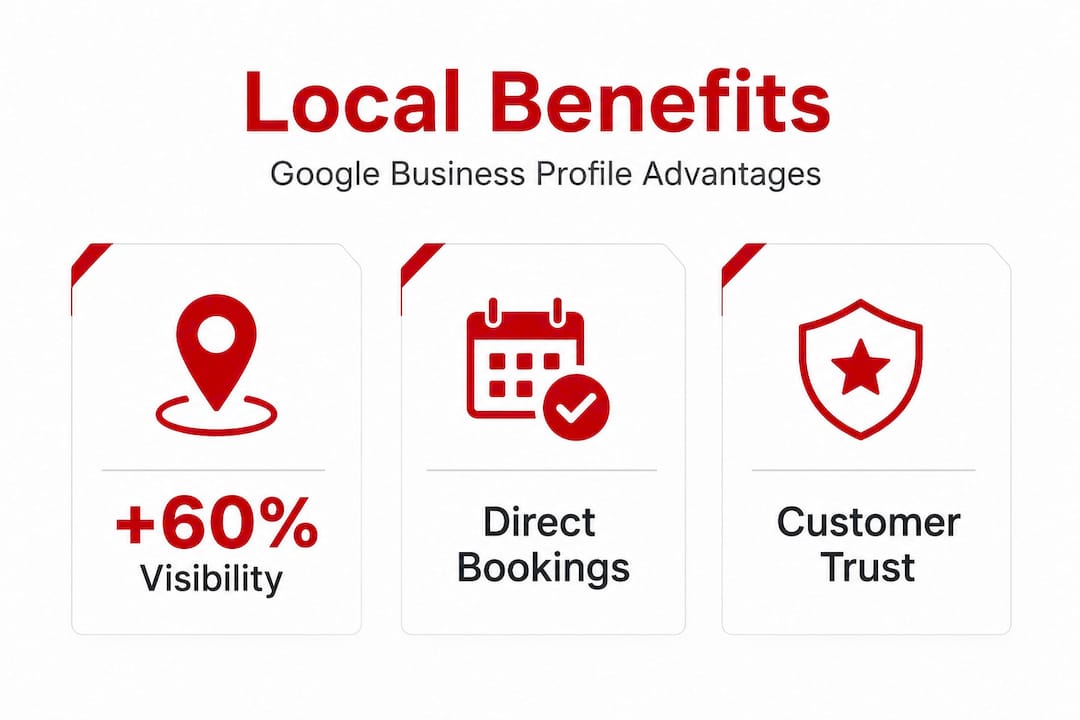
Reviews are the second major benefit. 74% of consumers read at least two reviews before deciding to make a purchase. Your Google Business Profile is where those reviews live. The more genuine positive reviews you collect, and the more consistently you respond to them, the more credible your business looks to both potential customers and Google's algorithm.
Here is what an optimized profile does for your business:
- Boosts local SEO: Google uses your profile data as a major signal for local search ranking.
- Builds customer trust: A complete profile with photos, hours, and reviews signals legitimacy.
- Drives direct actions: Customers can call, get directions, or visit your website in one tap.
- Reveals customer behavior: The Insights section shows how people found you and what they searched.
- Manages your reputation: You control your narrative by responding to reviews and posting updates.
The Insights panel alone is underused by most businesses. It shows you search queries, how many people asked for directions, and how many clicked your phone number. That is real data about real purchase intent.
How to set up your Google Business Profile
Getting your profile live is a straightforward process if you follow the right order. Skipping steps is where most businesses run into trouble.
- Go to google.com/business and sign in with the Google account you use for your business.
- Search for your business name. If a listing already exists, claim it. If not, create a new one.
- Enter your business details. This includes your name, address (or service area if you are mobile), phone number, website, and business category.
- Choose your primary category carefully. This single choice has the biggest influence on which searches trigger your profile.
- Submit for verification. Most physical locations receive a postcard with a PIN within 5 to 14 days. Some businesses qualify for instant verification or phone verification.
- Complete your profile while you wait. Add your hours, a business description, photos, and services. Do not wait for verification before filling everything in.
- Enter the verification PIN once your postcard arrives and confirm your listing.
Pro Tip: Your business description should include your most important services and the city or region you serve. This directly supports how Google categorizes and ranks your profile in local results.
Common pitfalls during setup include using a P.O. box as your address, which Google does not allow for storefronts, and selecting overly broad categories. A transportation company that picks "Transportation Service" instead of "Limousine Service" or "Car Service" is missing the specificity Google needs to match you with the right searches. You can learn more about the full process in this Google Business setup guide built specifically for service businesses.
Optimizing your profile to improve local ranking
Claiming your profile is the starting point, not the finish line. Keeping your profile active with regular updates is what actually drives ranking improvements over time.
The difference between a Business Profile and a Knowledge Panel
Many business owners confuse these two. Your Google Business Profile vs. Knowledge Panel distinction matters. Your Business Profile is the one you create and manage. A Knowledge Panel is generated algorithmically by Google and cannot be directly created or edited. However, maintaining a verified Business Profile is one of the foundational steps to eventually earning a Knowledge Panel for your brand.
NAP consistency across the web
Inconsistent NAP data across directories damages Google's confidence in your business information. Google cross-checks your profile against sources like Yelp, industry directories, and your own website. If your address is slightly different on each platform, your ranking suffers. Audit your listings across every directory and make sure your name, address, and phone number are identical everywhere.
Tactics that move the needle
| Optimization Tactic | Why It Works |
|---|---|
| Post weekly updates | Signals to Google that your profile is active and relevant |
| Upload new photos regularly | Profiles with photos get significantly more direction requests and clicks |
| Respond to every review | Responding to reviews signals engagement and boosts credibility |
| Use the Queries tab | Reveals actual search terms customers use, which refines your keyword strategy |
| Sync service areas with your site | Avoids inconsistencies that confuse Google's ranking signals |
The Queries tab in Insights is one of the most underused features in the entire platform. It shows the exact search terms people typed before finding your profile. Take those terms and work them into your website content and service descriptions. That feedback loop between your profile and your website is what separates businesses that rank from businesses that wonder why they do not.
Understanding how all of this fits into a broader local SEO strategy will help you see the full picture beyond just your profile.
Common challenges and how to fix them
Even a well-set-up profile can run into problems. These are the issues most business owners face and how to address them.
- Profile not showing in Local Pack: This usually comes down to relevance, distance, or prominence. Check that your categories are accurate, your profile is fully complete, and that you have recent reviews and posts.
- Ranking low despite being verified: Profile inactivity is the most common culprit. Google favors businesses that regularly update their profiles over ones that were set up once and forgotten.
- Duplicate listings: If your business appears twice in Google, it can split your review equity and confuse search rankings. Use Google Business Profile support to report and remove duplicates.
- Incorrect business info: Customers and even Google can suggest edits to your profile. Check your profile regularly to catch any unauthorized or incorrect changes.
- Negative reviews without responses: Ignoring negative reviews signals disengagement. Respond professionally to every review, positive or negative. Google notices, and so do prospective customers.
For businesses in competitive markets, Google Maps ranking factors go deeper than most owners realize. The combination of review velocity, profile completeness, and NAP consistency creates a compounding effect over time.
My take on Google Business Profile in 2026
I have worked with service businesses of all sizes, and there is a pattern I see constantly. Business owners invest heavily in their website, spend money on paid ads, and then let their Google Business Profile collect dust. They treat it like a one-time checkbox rather than an active marketing channel. That is a costly mistake.
What I have learned is that Google Business Profile is not a set-it-and-forget-it tool. It is a booking engine that needs to be tended to like any other front-facing part of your business. I have seen businesses double their inbound calls in under 90 days simply by committing to weekly posts, consistent photo uploads, and responding to every single review within 24 hours. No ad spend required.
The other thing I want you to understand is the relationship between your profile and your website. They work together. Business listings on local directories including your Google Business Profile help Google verify that your brand is real and trustworthy. When your profile and your website tell a consistent, detailed story, Google rewards you with better visibility. When they contradict each other, you pay for it in rankings.
The businesses winning in local search right now are not necessarily the biggest or the oldest. They are the most attentive.
— Meshia
Take your profile from listed to booked
Your Google Business Profile can be the difference between a full schedule and a quiet phone. Most businesses only scratch the surface of what it can do. At Cbmagencymiami, we specialize in helping transportation and service businesses get their profiles set up correctly, optimized for local ranking, and actively managed so they keep generating calls and bookings. From Google Business Profile management to full local SEO support, we handle the work that turns your profile into a lead source. If you want proof that this works, our Google Maps case study shows real results from real service businesses. Contact us to get started.
FAQ
What is Google My Business called now?
Google rebranded Google My Business to Google Business Profile in late 2021. The functionality remains the same, and most people still refer to it by the original name.
Is Google My Business free to use?
Yes. Creating and managing a Google Business Profile is completely free. You control your business information, photos, posts, and review responses at no cost.
How long does Google Business Profile verification take?
Verification by postcard typically takes 5 to 14 days. Some businesses qualify for faster methods such as phone or email verification, depending on their category and account history.
Why is my Google Business Profile not showing up?
Your profile may not appear in local results due to an incomplete profile, unverified listing, inconsistent NAP data, or low engagement. Regularly updating your profile and collecting reviews improves visibility over time.
How does Google Business Profile help with local SEO?
Your profile is one of the strongest local SEO signals Google uses. A verified, active, and complete profile increases your chances of appearing in the Local Pack, which drives significantly more clicks and calls than standard organic listings.