

Most business owners think a business profile is just a basic listing somewhere online. That assumption costs real customers every day. Understanding what is business profile in the fullest sense means recognizing two distinct tools: your Google Business Profile and your company profile document. Each one serves a different audience, solves a different problem, and requires a different level of attention. Get both right, and you show up where customers search, win trust before the first phone call, and turn more searches into actual bookings.
Table of Contents
- Key takeaways
- What is a business profile, exactly?
- Core components of a business profile
- Why your business profile matters more in 2026
- How to create a business profile that performs
- Business profile vs. business plan: know the difference
- My take on what most businesses get wrong
- How Cbmagencymiami helps you get this right
- FAQ
Key takeaways
| Point | Details |
|---|---|
| Two forms exist | A business profile includes both a Google Business Profile and a company profile document, each serving a distinct purpose. |
| Active management required | Google uses profile activity as a ranking signal, so static profiles lose ground to competitors who post updates regularly. |
| Components drive trust | Complete profiles with photos, services, reviews, and accurate hours convert searchers into paying customers faster. |
| Profiles beat business plans externally | A company profile, not a business plan, is what you share with clients, partners, and investors to build credibility quickly. |
| Setup rules matter | Only businesses with direct customer contact are eligible for Google Business Profiles, and incorrect address info can trigger suspension. |
What is a business profile, exactly?
The business profile meaning shifts depending on context, and that confusion trips up a lot of entrepreneurs. There are two main forms you need to know.
The Google Business Profile is a free digital listing Google provides for businesses that serve customers directly, either at a physical location or within a defined service area. It shows up when someone searches for your business name or a service you offer near them. Think of it as the front door on Google Search and Google Maps. 46% of all Google searches carry local intent, meaning nearly half of what people search for on Google involves finding something nearby. If your Google Business Profile is incomplete or missing, you are invisible to those searchers.
The company profile document is a separate tool entirely. It is a professionally written document you share with potential clients, investors, or partners. It summarizes who you are, what you do, your track record, and why someone should choose you. As a credibility tool for decision-makers, it serves a completely different audience from your Google listing.
Here is a quick comparison to make the distinction clear:
| Feature | Google Business Profile | Company Profile Document |
|---|---|---|
| Platform | Google Search and Maps | PDF, website, or print |
| Primary audience | Local customers searching online | Clients, partners, investors |
| Main purpose | Online discoverability and conversions | Credibility and relationship building |
| Format | Dynamic digital listing | Structured written document |
| Management | Ongoing, active updates required | Updated periodically |
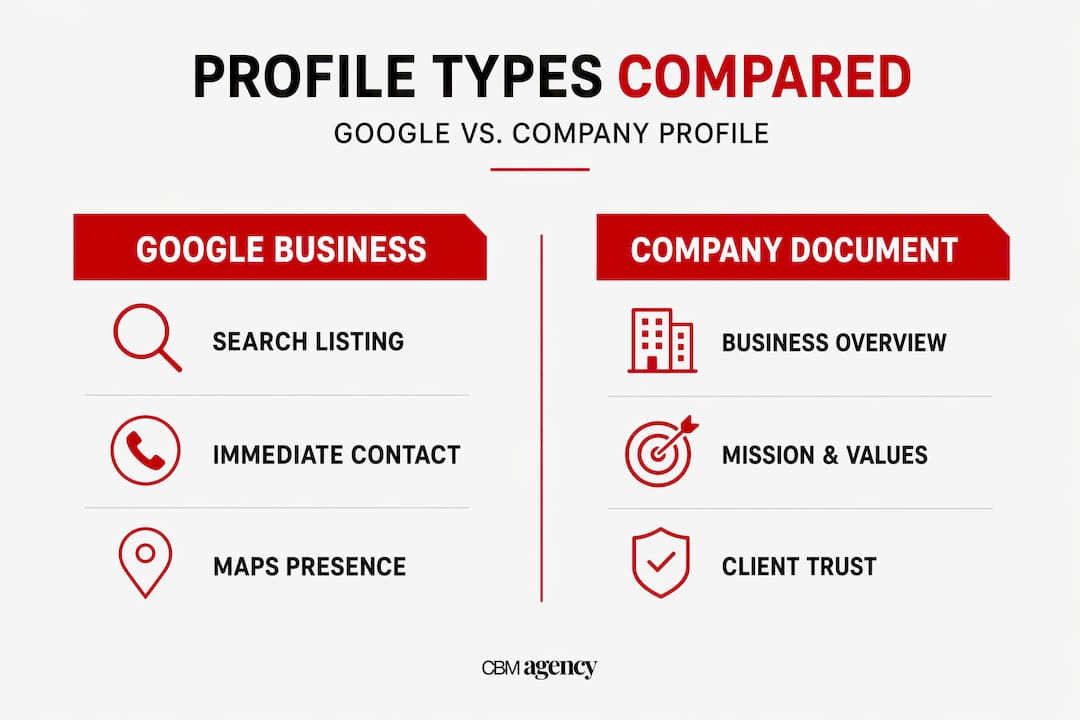
Both tools matter. One gets you found. The other gets you trusted.
Core components of a business profile
Knowing what belongs in each type of profile separates businesses that convert visitors from those that get scrolled past. The components of a business profile differ depending on which form you are building, but both share one requirement: completeness.
What your Google Business Profile needs
- Business name: Use your exact legal or commonly known name. No extra keywords stuffed in.
- Address or service area: Physical businesses list their address. Service-area businesses hide the address and define their coverage zone instead.
- Hours of operation: Keep these current, including special holiday hours.
- Photos: Interior, exterior, team, and work photos build trust fast. Google's own data shows profiles with photos receive significantly more direction requests and website clicks.
- Services or products: List every relevant service with accurate descriptions.
- Reviews and Q&A: Respond to every review, positive or negative. Use the Q&A section to answer common questions before customers even ask.
- Posts: Treat these like short social media updates. Announce promotions, share news, post seasonal content.
A strong business description that clearly states your purpose and value proposition matters here too. Incomplete profiles do not just look unprofessional. They tell Google's algorithm you are not worth ranking.
What a company profile document needs
A well-constructed company profile document includes a company overview, your mission and values, a breakdown of your services or products, your unique value proposition, credentials and certifications, case studies or notable clients, and full contact information. The goal is to build confidence quickly. A professionally designed profile presents structured, credible information in an easy-to-read format that convinces a decision-maker before a meeting even starts.
Pro Tip: Never use your business plan as a stand-in for a company profile. They look similar on the surface but serve entirely different purposes. Sending a potential client a 40-page business plan when they asked for your company profile is a fast way to lose credibility.
Why your business profile matters more in 2026
The importance of a business profile has grown every year, and 2026 is no exception. Google now powers over 90% of search engine traffic globally, which means your Google Business Profile is not optional marketing. It is your most trafficked public asset.
"An active profile with fresh updates outperforms passive listings. Google evaluates profile activity as a direct ranking signal." (Why Google Business Profiles Matter More Than Ever in 2026)
When your profile is complete and active, customers can call you directly from search results, book appointments, get directions, read reviews, and browse your services without ever visiting your website. Your Google Business Profile functions as a landing page, a contact portal, and a booking engine all in one place. For transportation and service businesses especially, that means more calls and more booked jobs from the same search traffic you are already getting.
The "set it and forget it" mindset is where businesses lose ground. Google's algorithm incorporates profile activity as a ranking factor, rewarding businesses that post updates, respond to reviews, and keep their information current. A competitor who posts twice a week and responds to every review will outrank a competitor with a dormant profile, even if the dormant business has been operating longer.

Your company profile document carries similar weight in B2B contexts. When a corporate client is deciding between two service providers, a polished company profile signals professionalism and preparation. It tells prospects you take your business seriously before you have ever spoken to them.
How to create a business profile that performs
Knowing the importance of a business profile is one thing. Building one that actually works takes a few deliberate steps. Here is how to approach both forms.
Setting up your Google Business Profile
- Create or log into your Google account. Use a business email address if possible.
- Go to Google Business Profile Manager and search for your business. If it already exists, claim it. If not, create it from scratch.
- Choose your business type. Storefront, service-area business, or hybrid. Only businesses with direct customer contact qualify, so be accurate here.
- Complete every field. Business name, address or service area, phone number, website, hours, and category. Do not skip sections.
- Verify your listing. Google may send a postcard, call, or allow instant verification depending on your business type.
- Add photos and your first post. Do this immediately after verification to signal an active profile.
- Request reviews from your first satisfied customers. A profile with zero reviews loses to a competitor with five, even if your service is better.
For transportation companies specifically, this Google Business setup guide walks through the category selection and service-area configuration in more detail.
Building your company profile document
Gather your core business information first: founding date, key services, number of employees or vehicles, certifications, notable clients, and any measurable results. Structure it logically: overview first, then services, then proof points, then contact information. Keep it visually clean. A cluttered document loses readers quickly.
Pro Tip: Update your company profile every six months. Outdated logos, old phone numbers, or stale case studies tell prospects your business is not growing. A current, polished document says the opposite.
Also, avoid one critical mistake for service-area businesses on Google: hiding your physical address correctly. Failing to do this can trigger a profile suspension, which removes you from search results entirely.
Business profile vs. business plan: know the difference
Confusing a company profile with a business plan is more common than it should be, and it causes real problems. Understanding which document to use and when is part of knowing the full business profile meaning.
| Feature | Company Profile | Business Plan |
|---|---|---|
| Audience | External: clients, partners, investors | Internal: founders, lenders, board |
| Purpose | Build credibility and win business | Guide strategy and secure funding |
| Tone | Promotional and professional | Analytical and strategic |
| Length | Typically 5 to 15 pages | Often 30 to 50 pages or more |
| Use case | Proposals, tenders, introductions | Loan applications, internal planning |
A company profile is external-facing and built for credibility. A business plan is an internal strategy document. Using one in place of the other sends the wrong signal to the wrong audience. Presenting a business plan externally when a client expected a company profile can make your business appear disorganized or overly insular.
Clear differentiation helps you show up prepared. The right document for the right audience is a small detail that makes a big impression.
My take on what most businesses get wrong
I've worked alongside enough business owners to recognize a pattern. They set up their Google Business Profile once, celebrate the verification email, and never log in again. Months later they wonder why their phones are quiet.
In my experience, the businesses that grow fastest treat their Google Business Profile like a live marketing channel, not a directory entry. They post updates every week. They respond to reviews within 24 hours. They add photos of their actual work. That consistent activity is what signals relevance to Google's algorithm, and it shows. I've seen businesses go from invisible to the top of local results in 90 days with nothing more than disciplined profile upkeep and local SEO best practices applied consistently.
The company profile document gets ignored for different reasons. Most entrepreneurs think a website replaces it. It does not. A website is browsed. A company profile is read with intent, usually by someone evaluating you. A well-crafted profile opens the door before the conversation starts.
My advice for new entrepreneurs: do not wait until you have ten years of case studies before building your profile. Start with what you have. A clear mission, a few honest testimonials, and professional design go a long way. You can always add depth as you grow. What you cannot recover from easily is showing up to a tender or a partnership conversation with nothing to hand over.
— Meshia
How Cbmagencymiami helps you get this right
Building a business profile from scratch takes time. Optimizing it to actually rank and convert takes expertise. At Cbmagencymiami, we specialize in helping transportation and service businesses get their Google Business Profile working as a real booking engine, not just a listing that sits there. Our team handles profile setup, category optimization, photo strategy, review management, and the regular posting that Google rewards with better visibility.
The results are real. Businesses we work with have seen measurable increases in direction requests, phone calls, and booked jobs directly from Google Search and Maps. If you want to see what that looks like in practice, check out our Google Maps case study for service businesses. When you are ready to stop guessing and start showing up, reach out and we will build a profile strategy around your specific goals.
FAQ
What is business profile used for?
A business profile is used to increase online visibility, build credibility with customers, and drive direct actions like calls, bookings, and directions. Depending on the format, it serves either local search discovery (Google Business Profile) or external stakeholder communication (company profile document).
What are the main components of a business profile?
The core components of a business profile include your business name, address or service area, hours, photos, services, reviews, and a business description. A company profile document adds your mission, credentials, value proposition, and contact information.
How do I create a business profile on Google?
Sign in to your Google account, visit Google Business Profile Manager, claim or create your listing, complete all fields, and verify your business. Only businesses with direct customer interaction are eligible, so choose your business type accurately.
Is a business profile the same as a business plan?
No. A business profile is external-facing and designed to win trust with clients and partners. A business plan is an internal strategy document for guiding operations and securing funding. Sending the wrong one to the wrong audience creates confusion and reduces your credibility.
How often should I update my business profile?
Update your Google Business Profile at least once a week with new posts, photos, or responses to reviews. Google treats active profiles as more relevant. For your company profile document, review and refresh it every six months or after major business changes.